User Reminder 6.1.0: inactive-user switch, admin copy and better links

User Reminder 6.1.0 is out. It adds an on/off switch for inactive-user reminders, an optional admin copy of every reminder, and links in the emails that follow your site's URL settings. It runs on Joomla 4.4, 5 and 6.
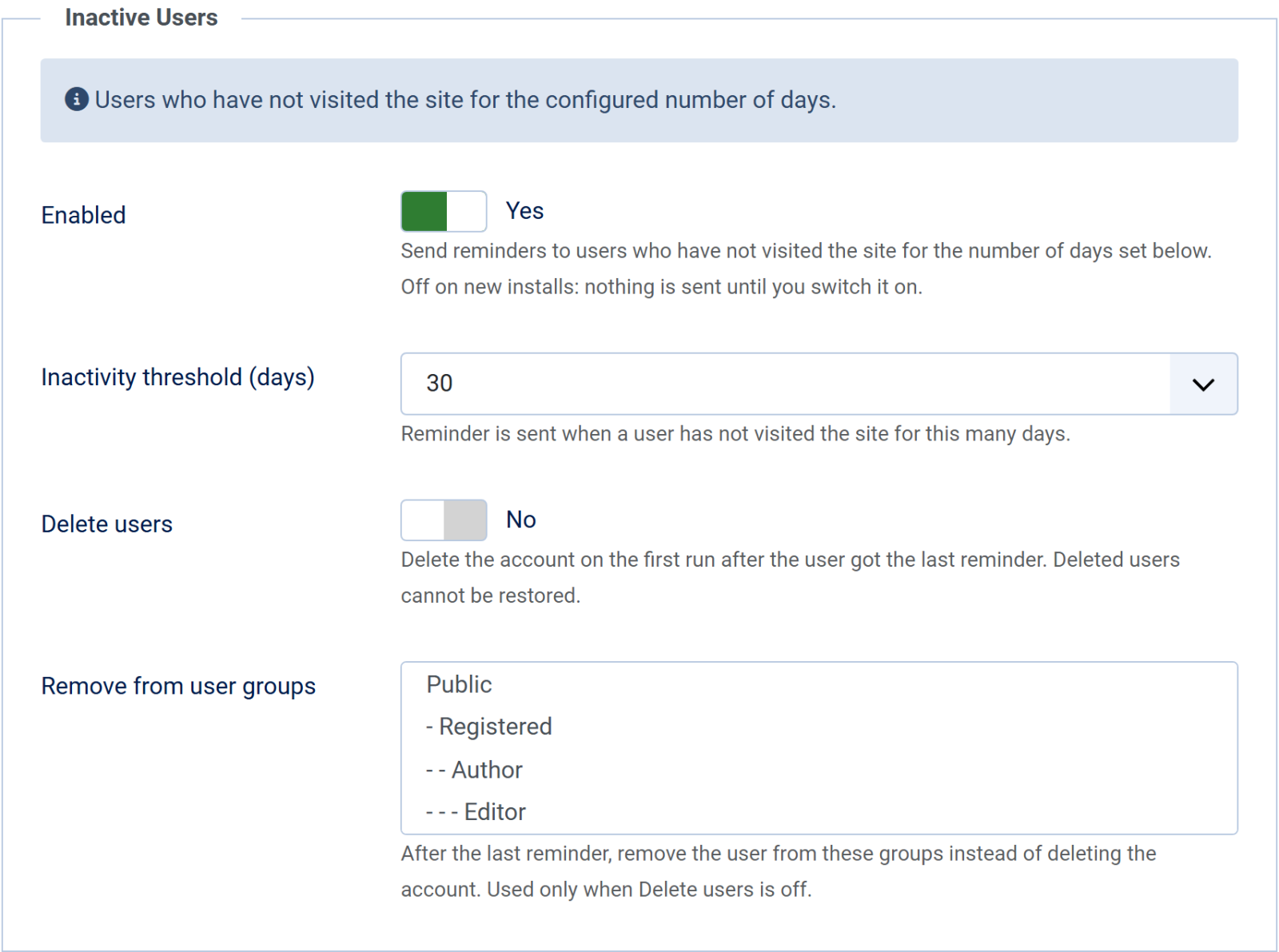
Inactive-user reminders now have their own switch
In User Reminder, activation reminders and never-logged-in reminders always had an Enabled switch. Inactive-user reminders did not: once the scheduled task ran, every member past the inactivity threshold got an email. Now all three types work the same way. The inactive-user reminders guide explains every setting.
- Go to Options > Reminders > Inactive Users and set Enabled.
- On a new install it is off, so nothing is sent until you choose to.
- If you update from an earlier version, it is switched on for you, so your site keeps sending exactly as before.
A copy of every reminder for the admin
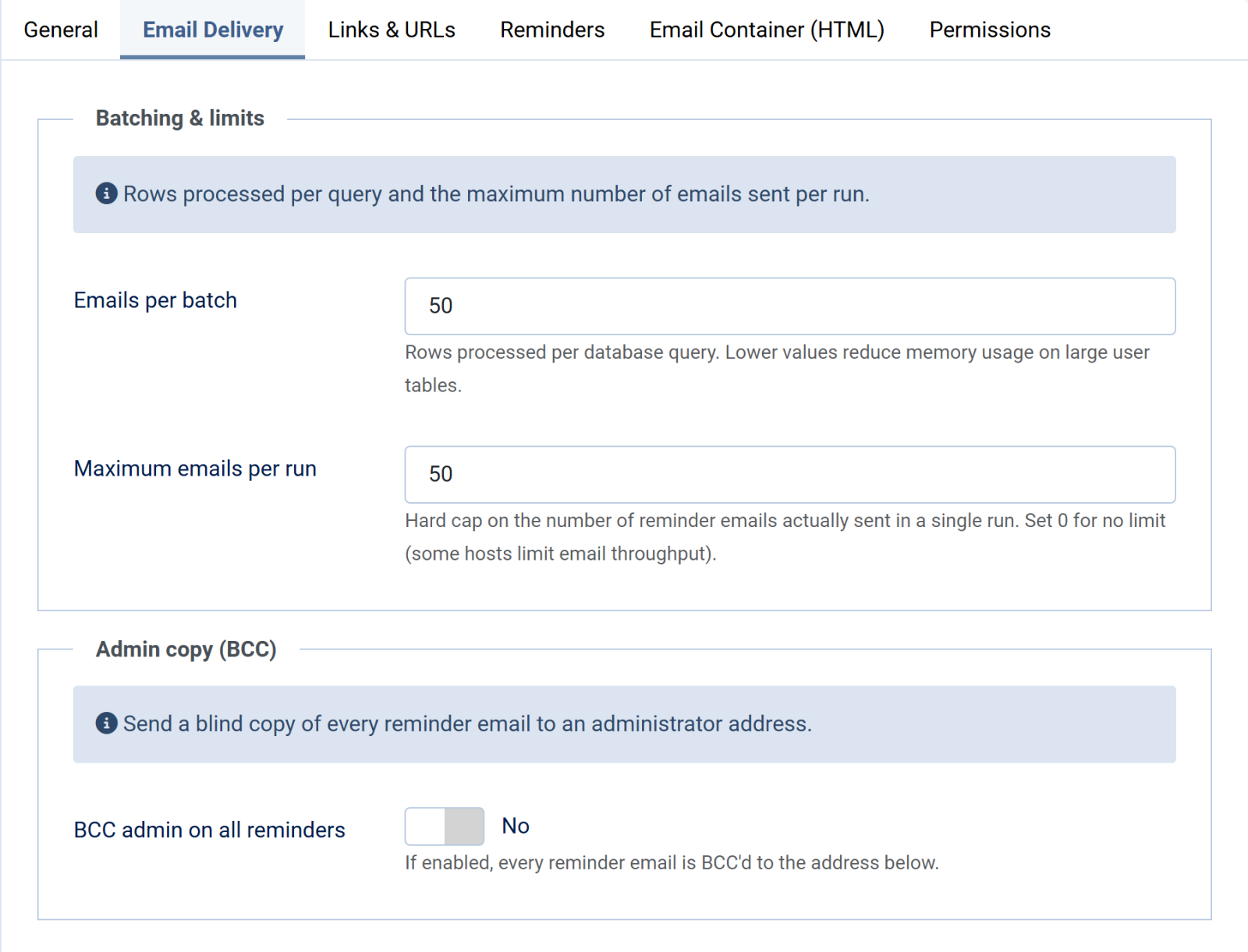
You can now send a blind copy (BCC) of every reminder to one address. It is useful while you tune your wording, or when someone on your team wants to see what users receive. Switch on BCC admin on all reminders under Options > Email Delivery and enter the address. It is off by default. The dashboard warns you if it is on without an address. See Email Delivery settings.
Links that follow your site's URL settings
The unsubscribe, activation and password-reset links in the emails are now built through Joomla's site router. With search-engine-friendly URLs on, users get the same clean links as the rest of your site, and the links work the same from the scheduled task and from the Send buttons.
Smaller changes
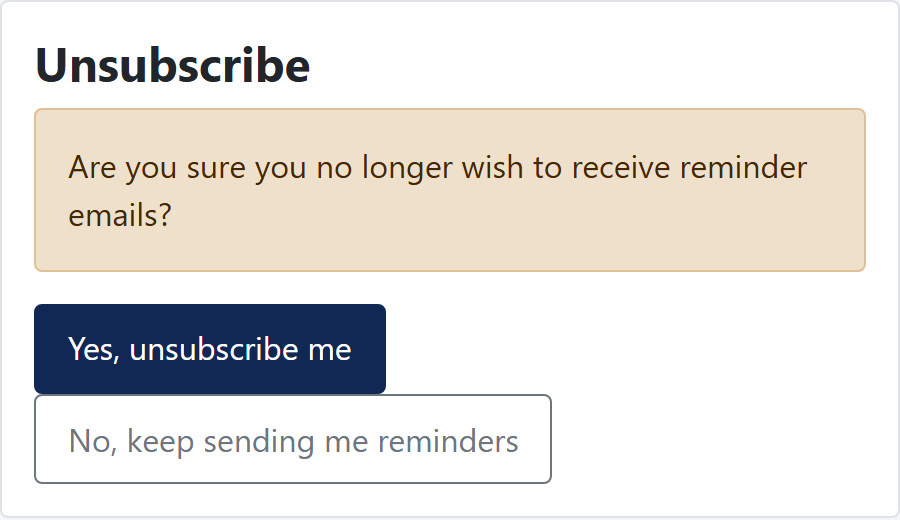
- The unsubscribe page now says No, keep sending me reminders. It used to say "keep my account active", but unsubscribing never touches the account.
- The HTML version of the inactivity email now has the same wording as the plain-text version. Templates you already have are not changed.
- The Help button opens the online documentation instead of a built-in help page.
New documentation
The User Reminder documentation has been rewritten for 6.x. Each reminder type, the opt-out, the dashboard, the action log and every Options tab now has its own page, and Community Builder has its own integration page.
How to update
- Make sure your download key is entered under System > Update > Update Sites.
- Open System > Update > Extensions and update User Reminder. Or install the 6.1.0 package over your current version. The installation guide has the details.
Your settings, opt-out list, mail templates and log are kept. You can update from 6.0.0 or straight from 5.2.3. Both paths were tested on Joomla 4.4, 5 and 6, each with MySQL and MariaDB.