Inactive-user reminders
Inactive-user reminders go to people who used to log in but have not visited for a number of days you choose.
Who gets one
- the account is active and the user has logged in before
- the last visit is longer ago than the Inactivity threshold (days)
- the user is not on the opt-out list and not in an opt-out group
The first reminder goes out as soon as a user passes the threshold. The next ones follow every Days before next reminder, until the user has had the Number of reminders. When the user logs in again, they drop out of the list.
Switch it on
Options > Reminders > Inactive Users > Enabled, and set the Inactivity threshold (days), for example 90. See Reminders options.
Inactive-user reminders are off on a new install. Sites updated from a version without this switch keep them on.
The email
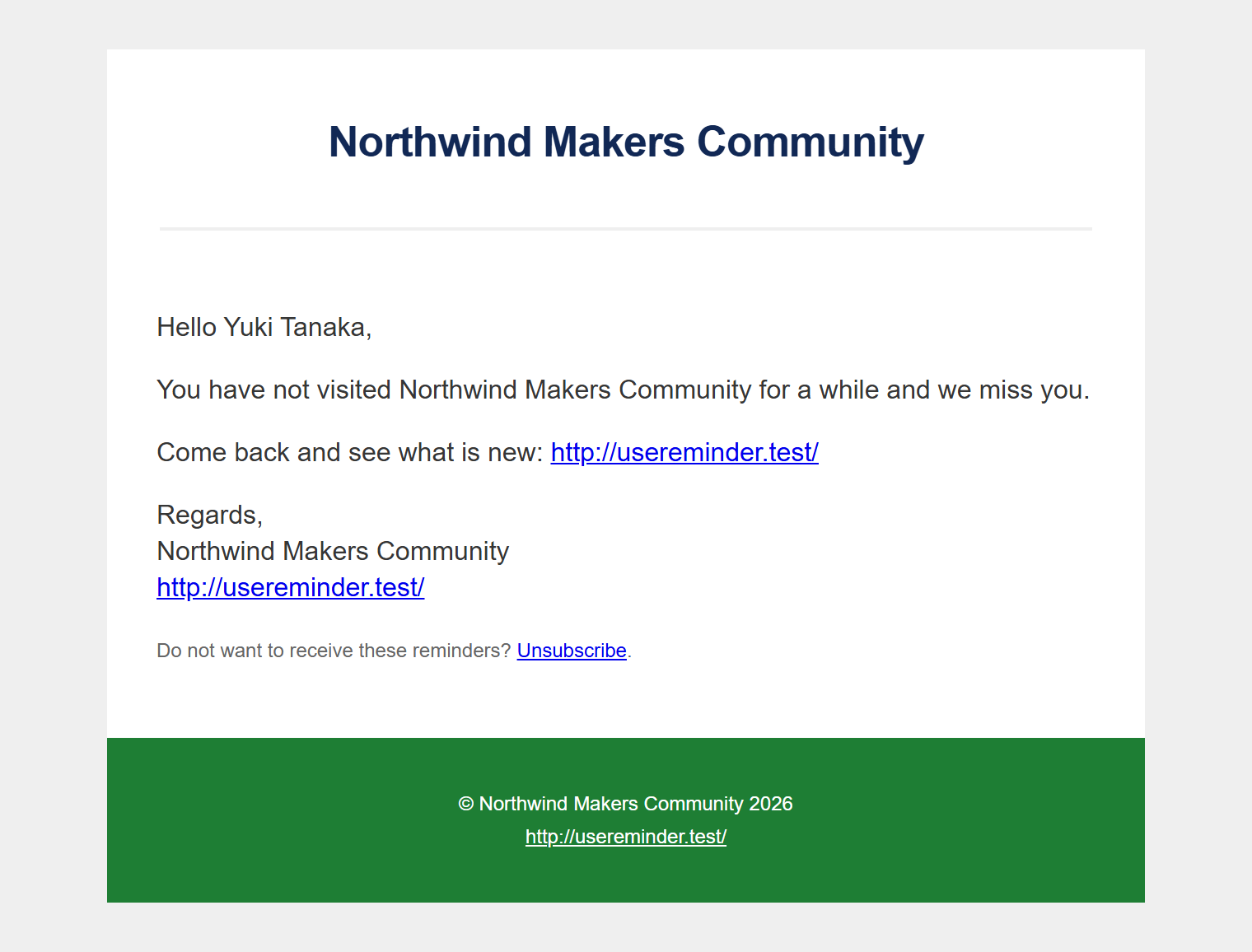
The template is User Reminder: inactivity reminder. It invites the user back with {SITELINK}.
The list
Components > User Reminder > Active User Reminders lists everyone past the threshold.
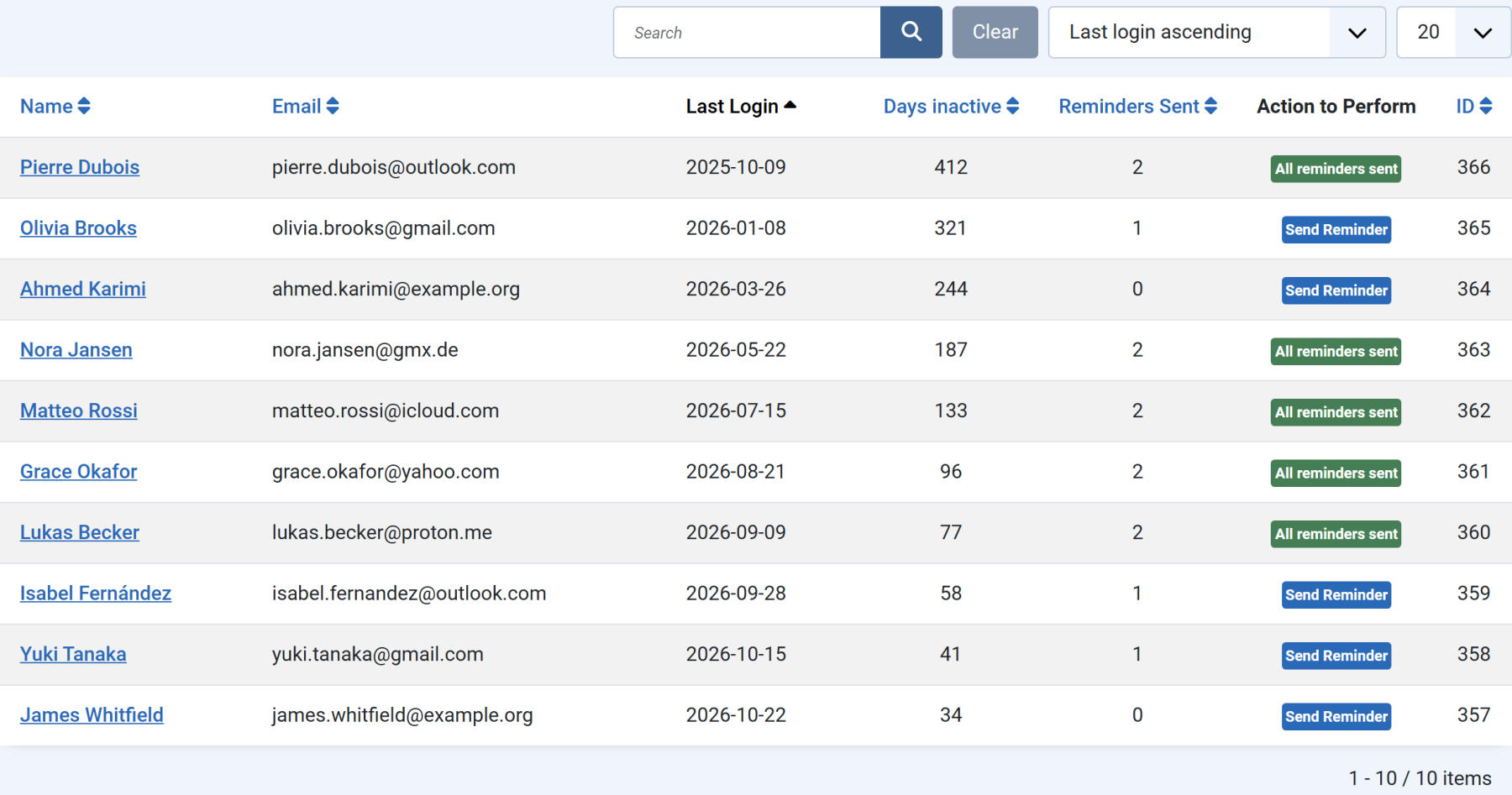
| Column | Shows |
|---|---|
| Last Login | The user's last visit |
| Days inactive | Days since that visit |
| Last Reminder Sent / Reminders Sent | What they got so far |
| Action to Perform | What the next run does, including Remove from groups |
When the reminders run out
After the last reminder, the next run can delete the account or remove it from chosen user groups. With neither set, nothing more happens. See Account cleanup.