Quick Start
Build a FAQ section from your Joomla articles in three steps.
Step 1: Write Your Questions as Articles
Create a category, for example FAQ, under Content > Categories. Add one article per question: the article title is the question, the article text is the answer. Publish the articles.
If you already have the module installed, go to Step 2. Otherwise see Installation for detailed instructions.
Step 2: Create the Module
Go to Content > Site Modules > New and choose Easy Articles Accordion. Then:
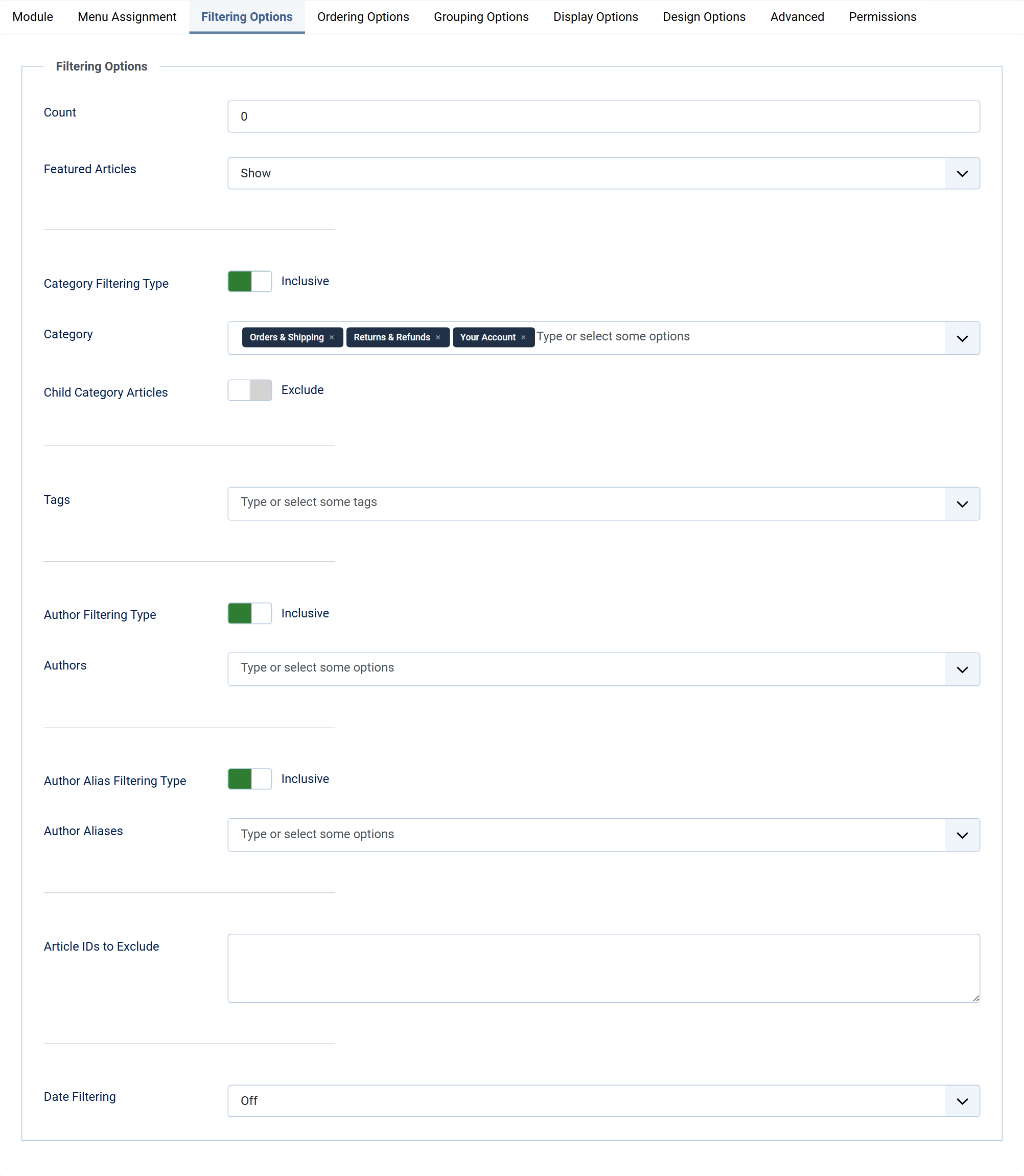
- On the Filtering Options tab, select your FAQ category in Category
- Leave Count at
0to show all questions, or enter a number such as10to show ten per page with AJAX pagination - On the Ordering Options tab, set Article Field to Order By to Article Order if you want the order you set in the Articles list
- Pick a template position, set the module to Published, and assign it to your FAQ menu item on the Menu Assignment tab
Tip: On the Display Options tab, set Content to Show full text if your answers are long and you don't want a "Read more" link.
Step 3: Style It
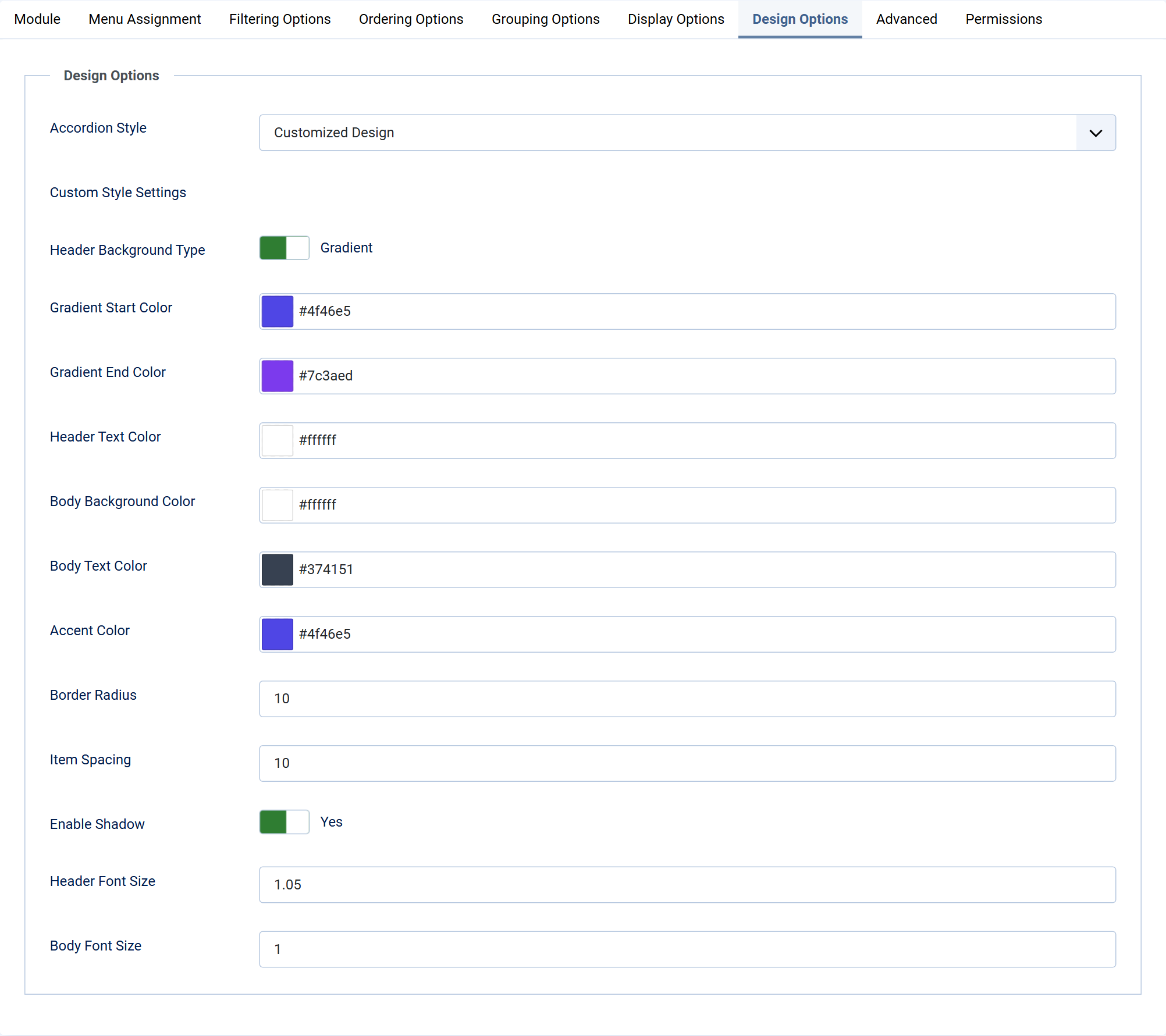
On the Design Options tab, keep Default Bootstrap to match your template, or choose Customized Design to set header colours or a gradient, text colours, corner radius, spacing, shadow and font sizes. Save and open the page on your site.
What Happens Next
- A visitor opens the page: the first question is open (unless you turned Open First Accordion Item off) and the others are collapsed.
- A visitor clicks a question: its answer opens and the previously open one closes.
- You add an article to the category: it appears in the accordion straight away, in the order you chose. No module change needed.