Administrator Screens
All screens are in the Components > User Reminder menu.
Dashboard

- Counters: pending activation, never logged in, inactive, due now, sent (total, 7 days, 30 days), opted out and total users
- Alerts: scheduled task missing, debug mode on, deletion on, invalid site mail address, missing BCC address, backlog bigger than a batch
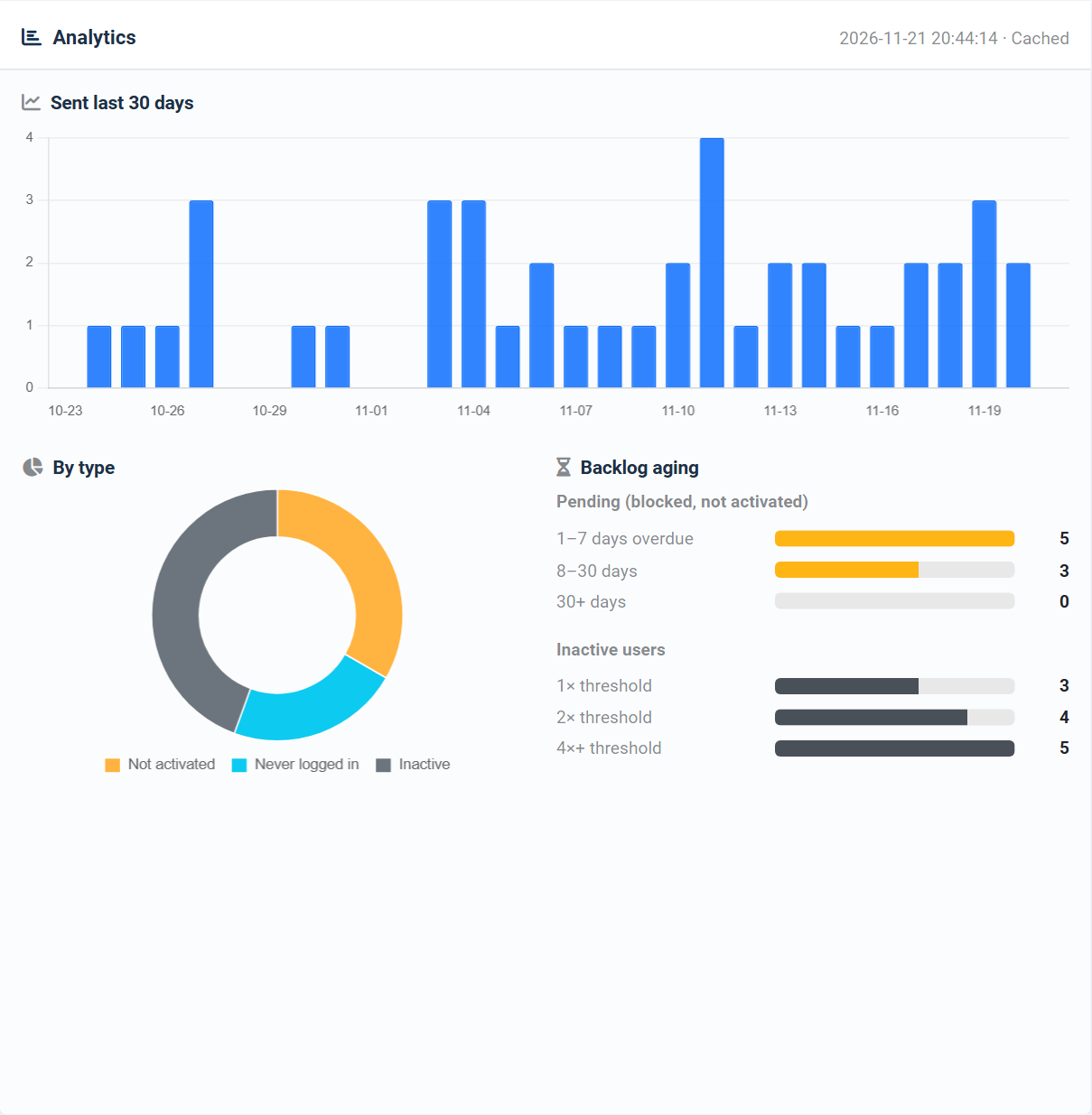
- Analytics: emails sent in the last 30 days, split by type, and backlog aging
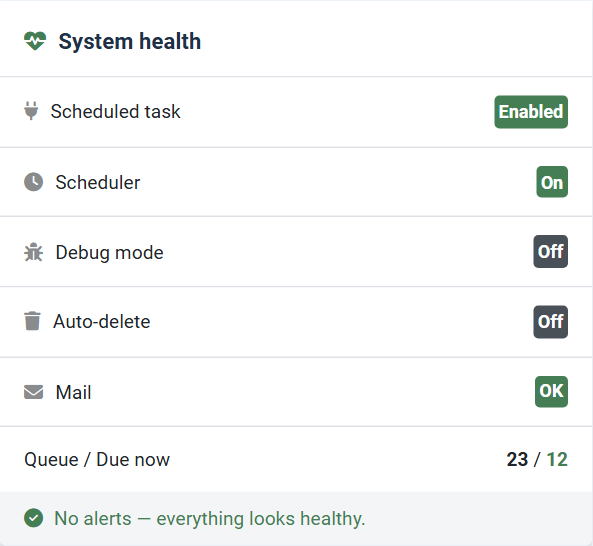
- System health and a config snapshot of your main options
- Recent sends, oldest pending activations and longest inactive users
- Quick actions: send now, send inactive reminders, view log, prune old logs
The dashboard is cached; click Refresh for fresh numbers.
Registration Reminders
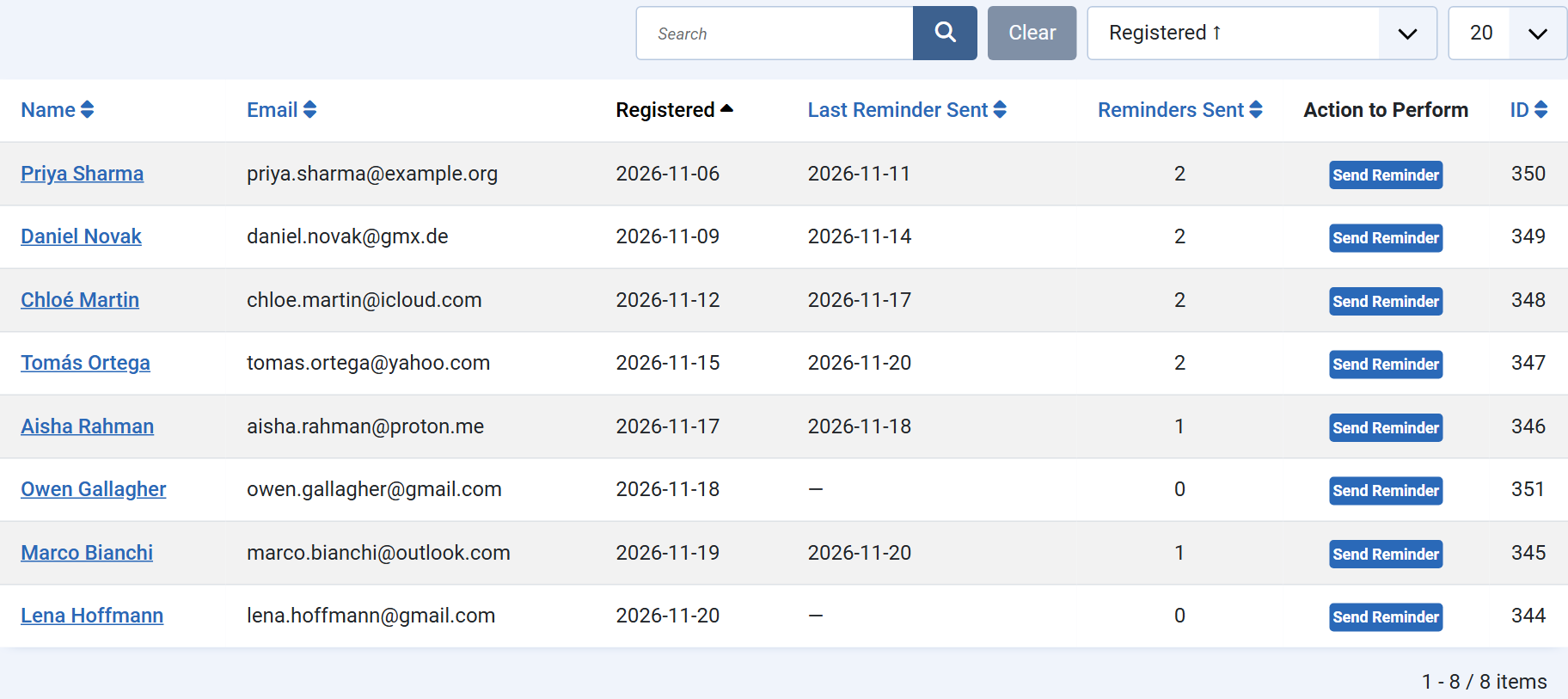
Users who never activated or never logged in, with registration date, last reminder sent, reminders sent and the action the next run will take. Search, sort, and Send Reminders.
Active User Reminders
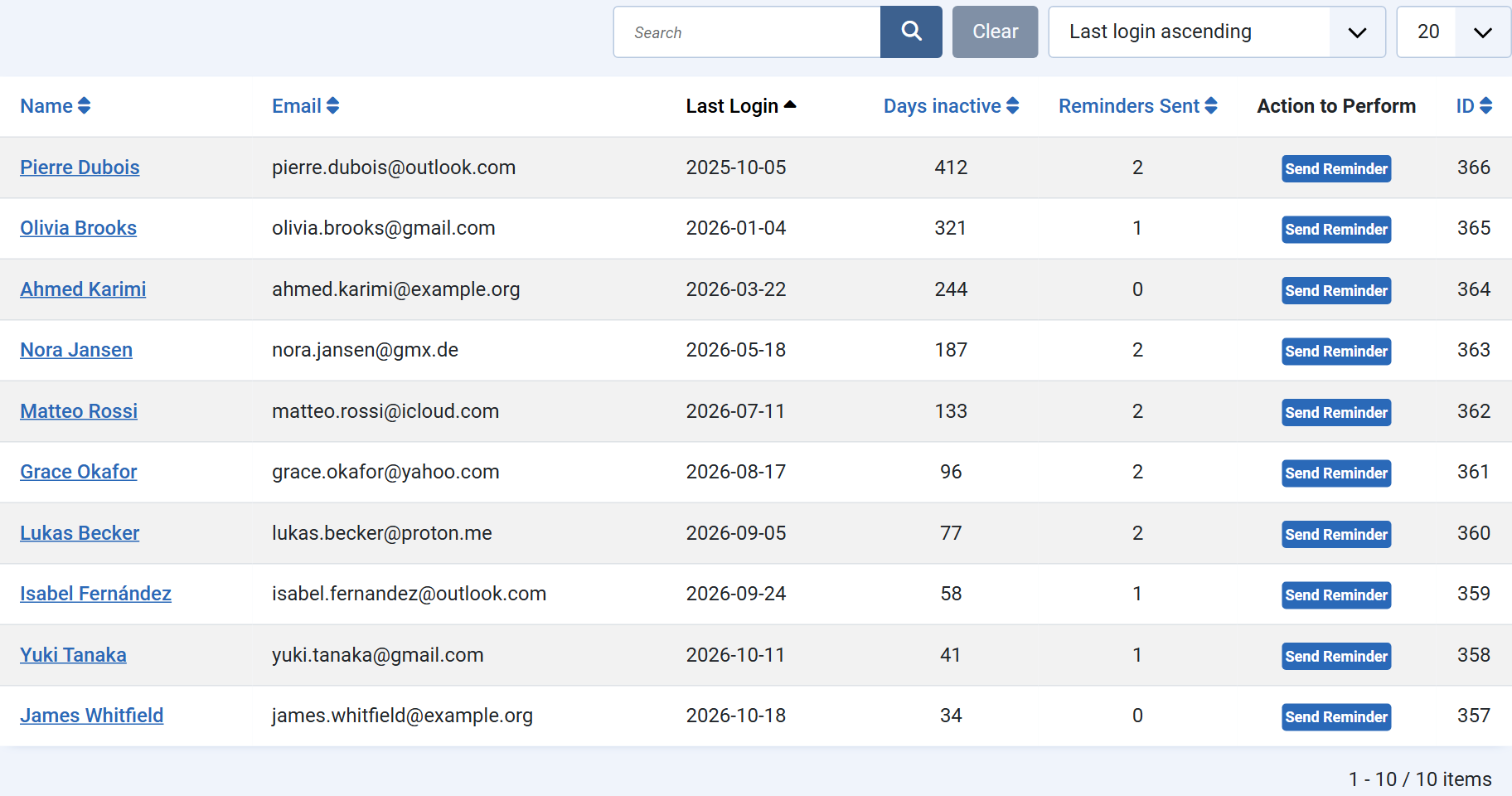
Users past the inactivity threshold, with last login, days inactive, reminders sent and the next action.
Opt-out
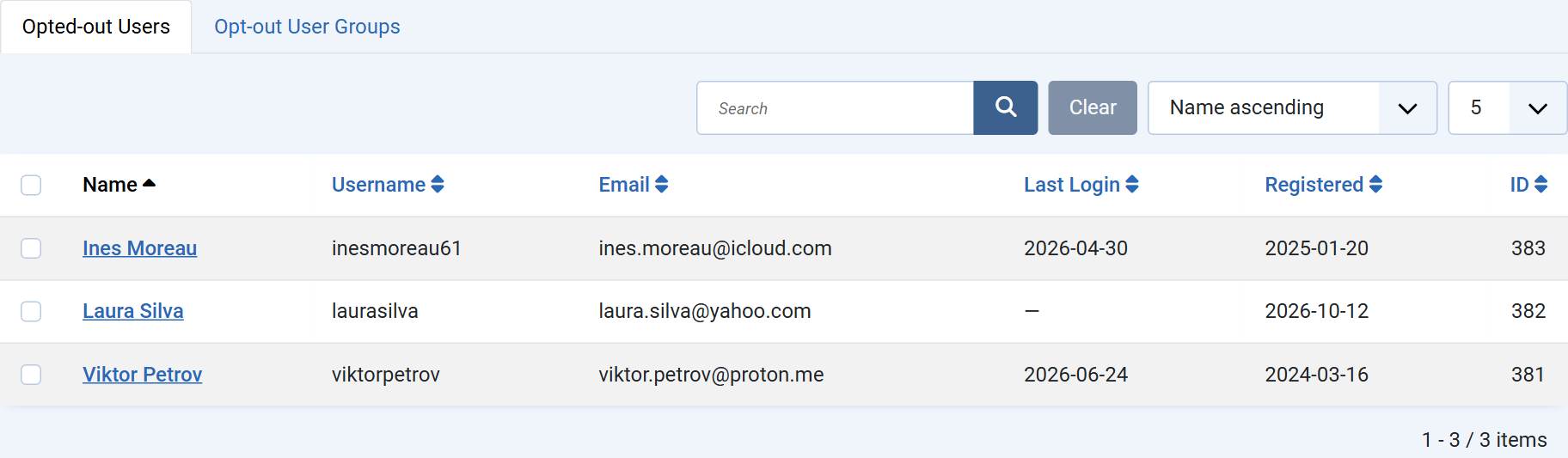
- Opt-out Users: people who unsubscribed or that you added. Click Add opt-out users, pick users, then Add to opt-out list. Select rows and Remove from opt-out list to undo
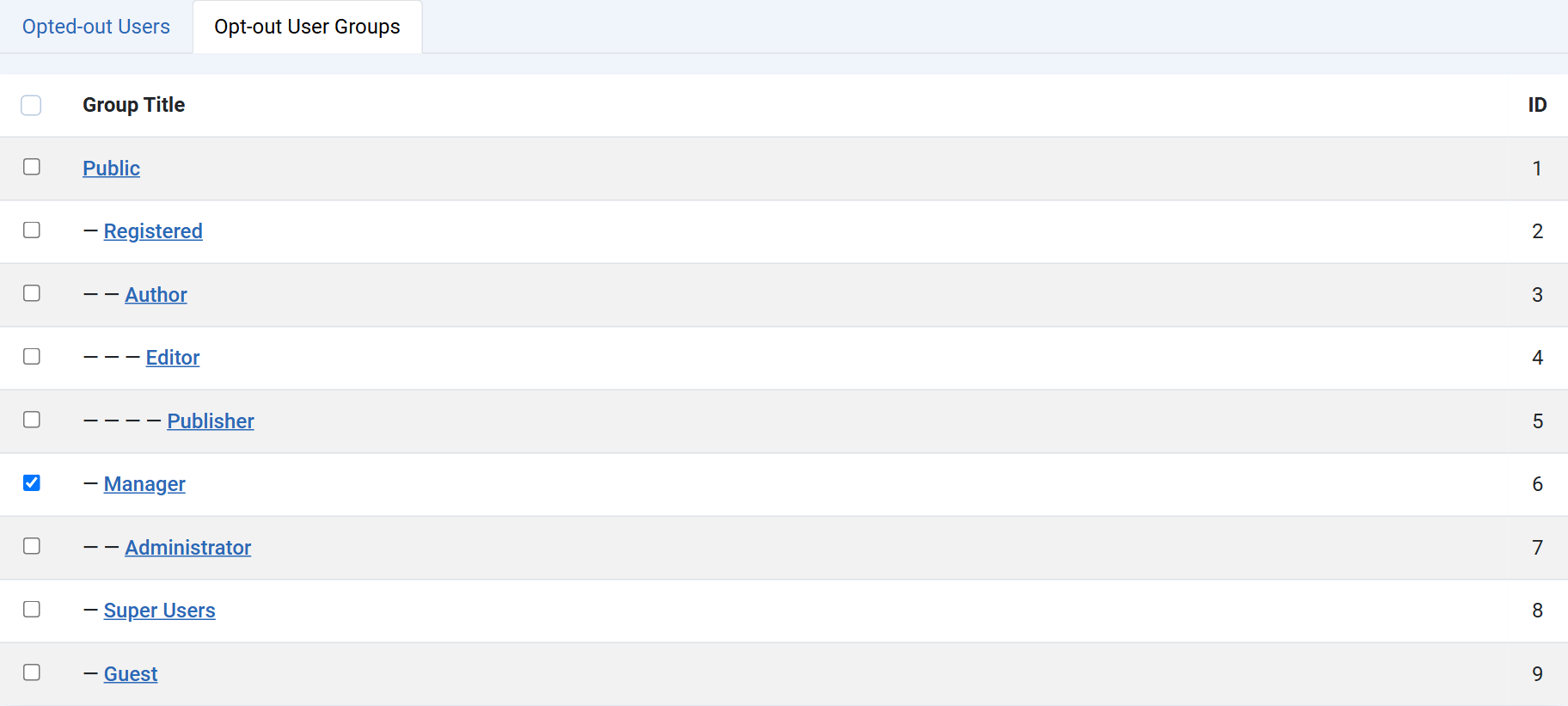
- Opt-out Groups: tick user groups whose members never get reminders, for example Administrator or Staff
Action Log
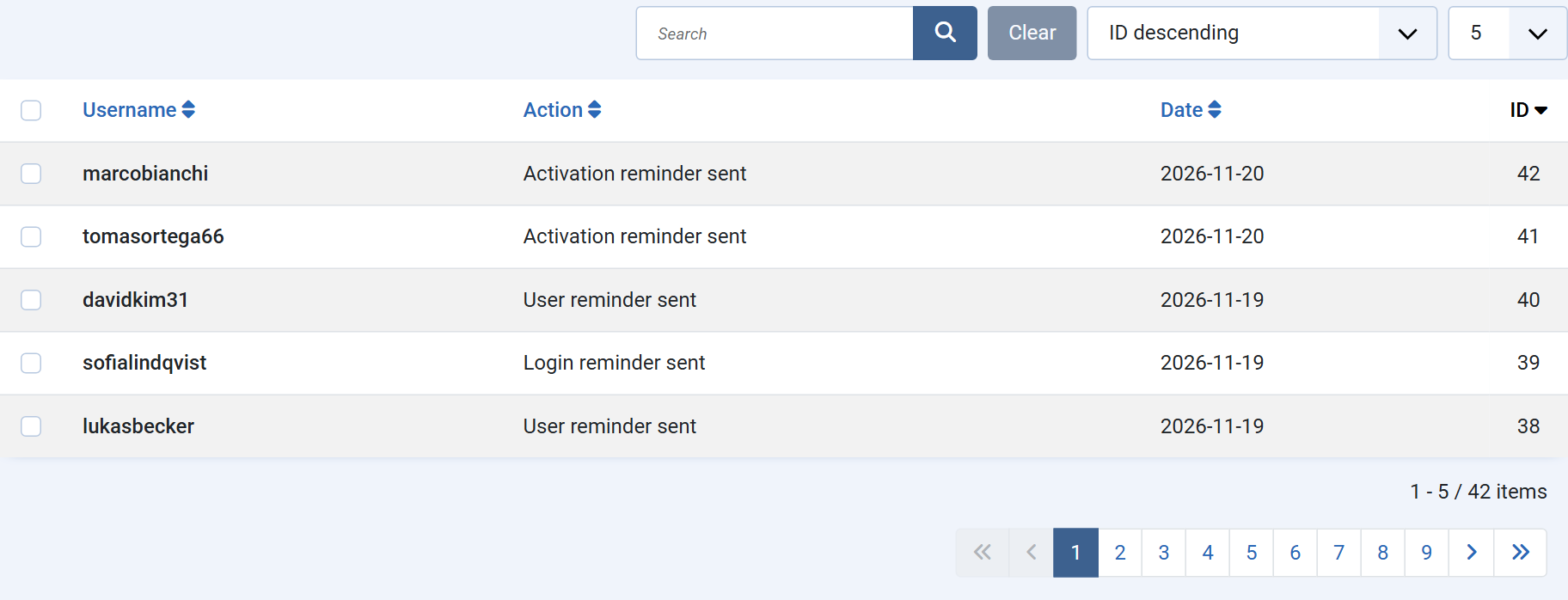
Every reminder sent, every opt-out and resubscribe, with user and date. Search by username or action, delete selected entries or clear the log. Prune old logs on the dashboard removes entries older than 12 months.
Options
| Tab | Contains |
|---|---|
| General | Test user, developer debug mode, reminder cadence |
| Email Delivery | Emails per batch, maximum per run, admin BCC |
| Links & URLs | Activation and password reset paths |
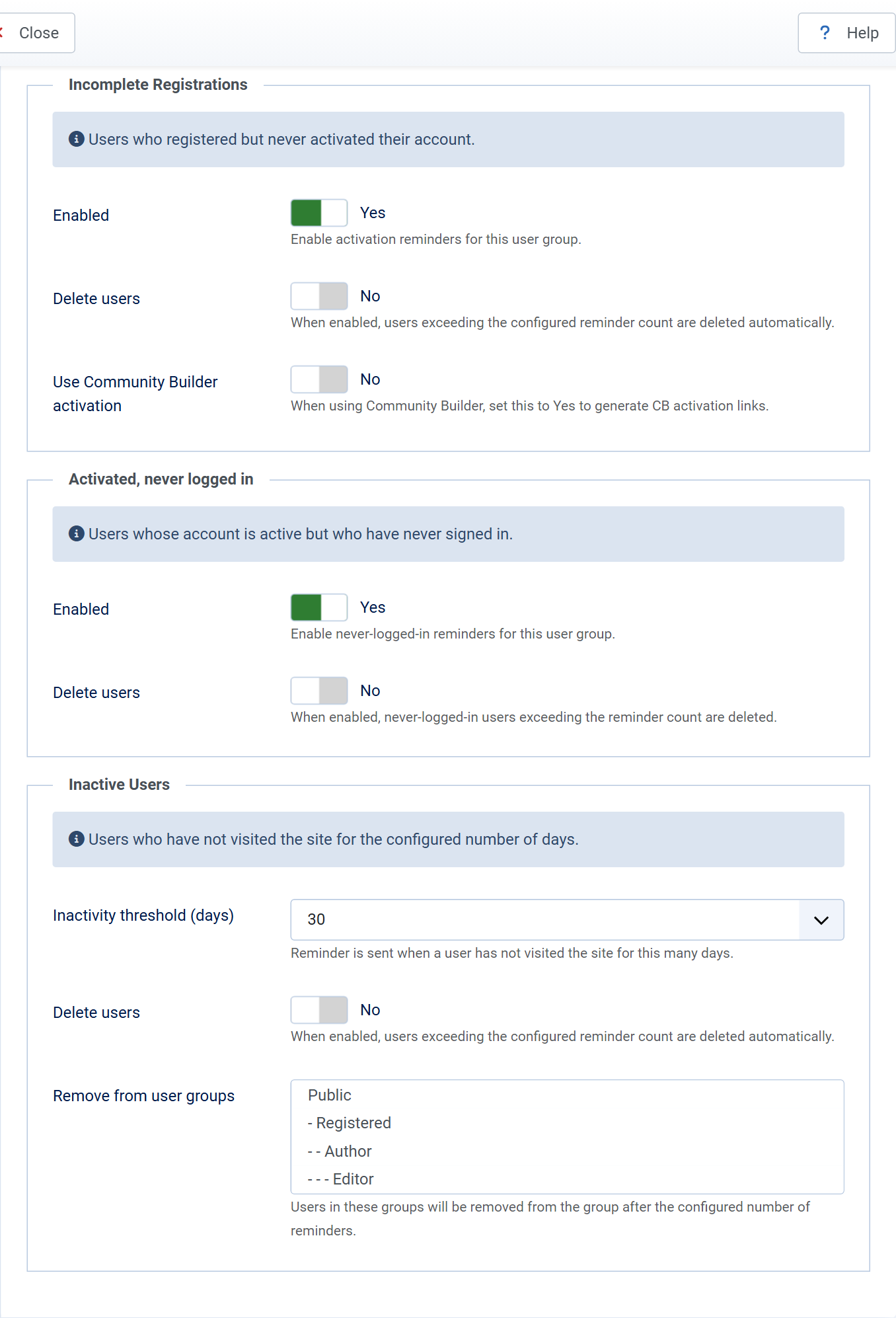
| Reminders | The three reminder types, deletion, CB activation, remove from groups |
| Email Container (HTML) | Logo, header, footer and colours |
| Permissions | Who may use and configure User Reminder |