Clients, Projects & Tasks
All setup happens in the admin panel at Components > Easy Time Manager. Work is organised as Clients → Projects → Tasks, with employees assigned to projects.
Clients
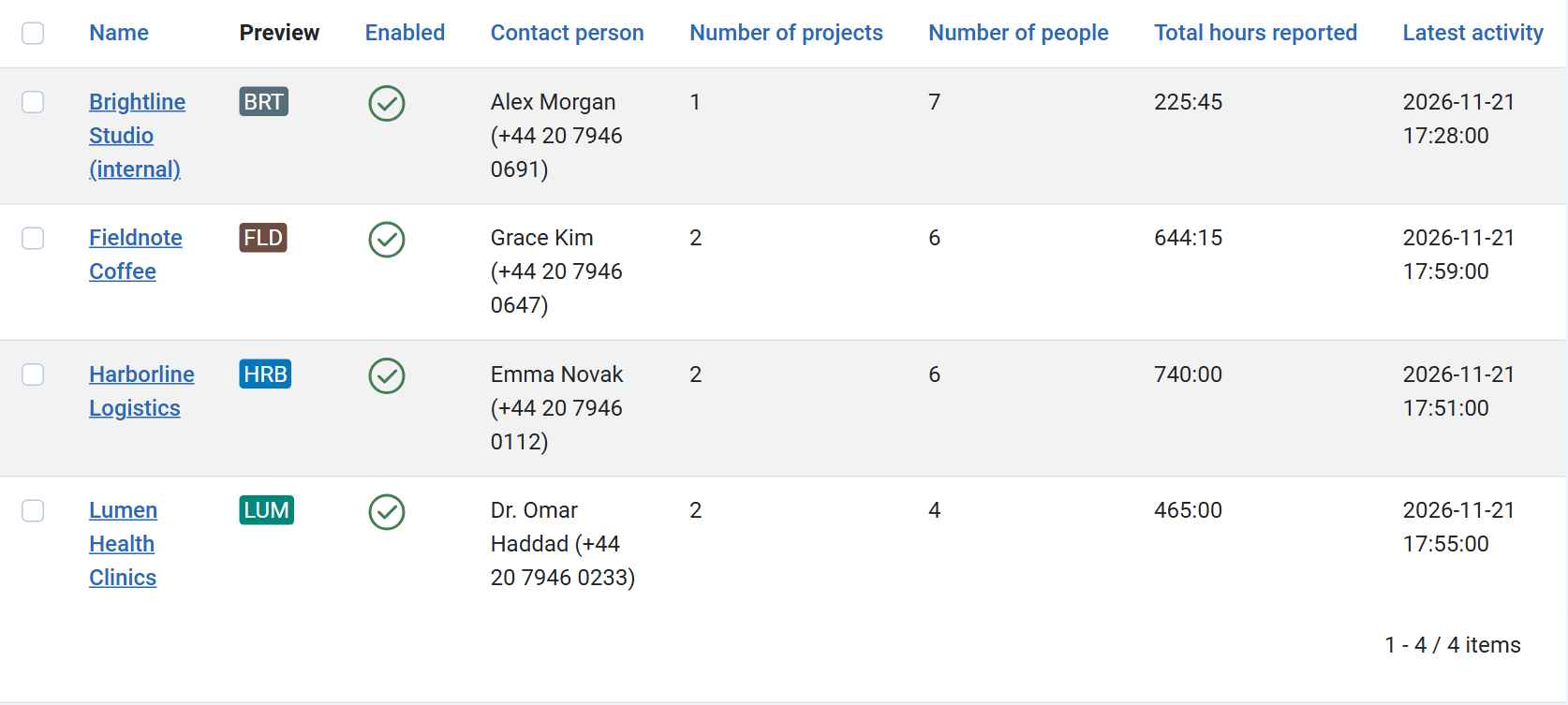
Clients represent the companies or organisations your team works for. Projects are grouped under clients.
Each client record includes:
- Company (required) and an optional short name shown on a colour-coded badge
- Enabled status, contact person, email, Skype, phone, and address
- Internal notes
- A badge colour, and an optional issue-tracker URL that overrides the global bugtracker URL for this client
The list view shows project count, people count, total hours reported, and latest activity per client. Unpublishing a client also makes its projects inaccessible to employees.
Projects
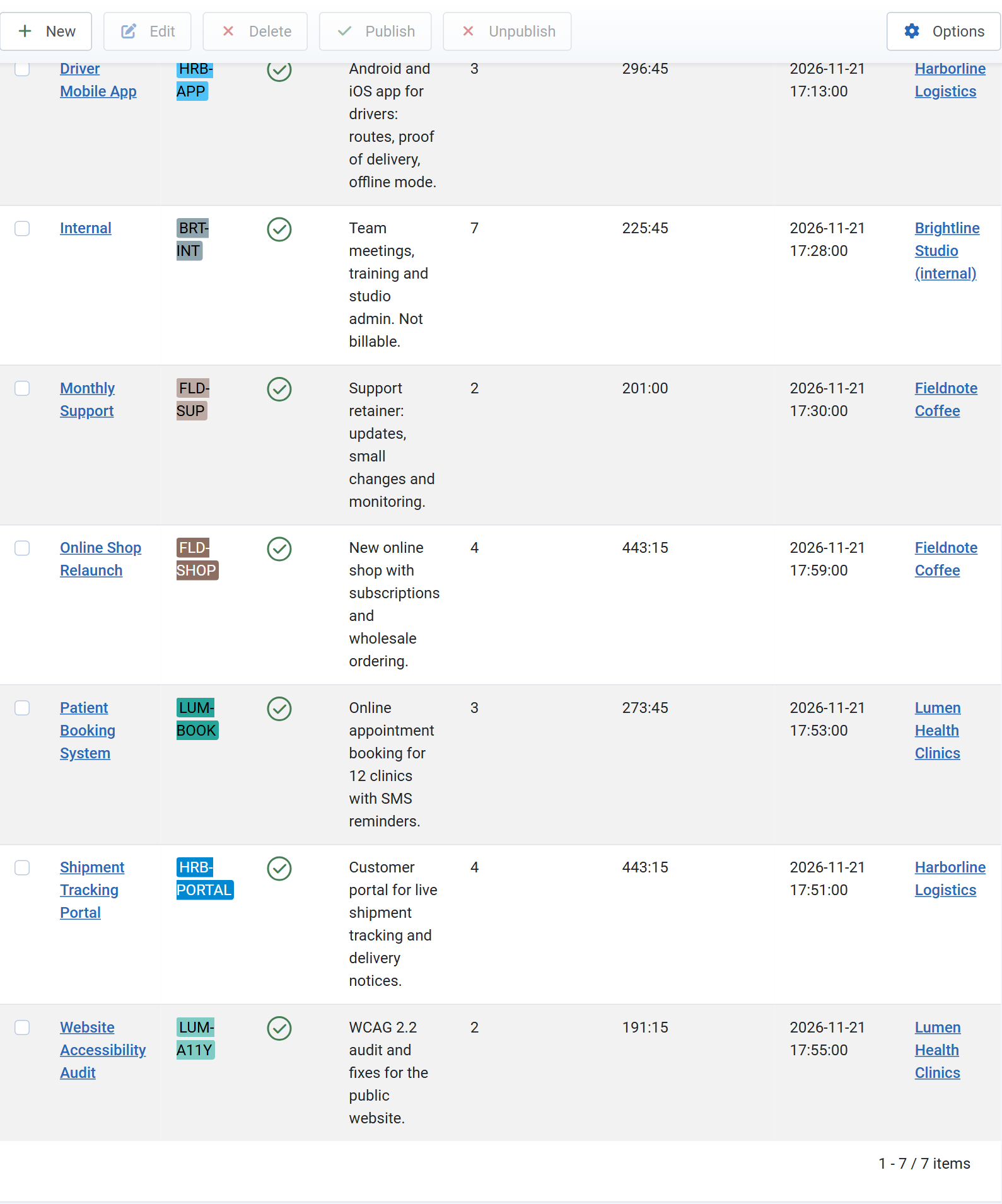
Projects belong to a client and are what employees log time against.
Project Details:
- Client (required) and Name (required, max 45 characters)
- Optional short name, description, badge colour, and a project-specific issue-tracker URL (overrides client and global URLs)
Employees tab (available after the first save): assign Joomla users to the project with a user selector, and remove them by unchecking. You must save the project once before assigning employees.
Tasks
Tasks are optional, reusable work categories linked to projects. They only appear when Use list of tasks is enabled in Component Options.
- Create a task with a Name (required) and Enabled status.
- On the Projects tab (after first save), link the task to one or more projects.
- When a task is linked to a project, employees working on that project can pick it from the task dropdown.
Users (Employees)
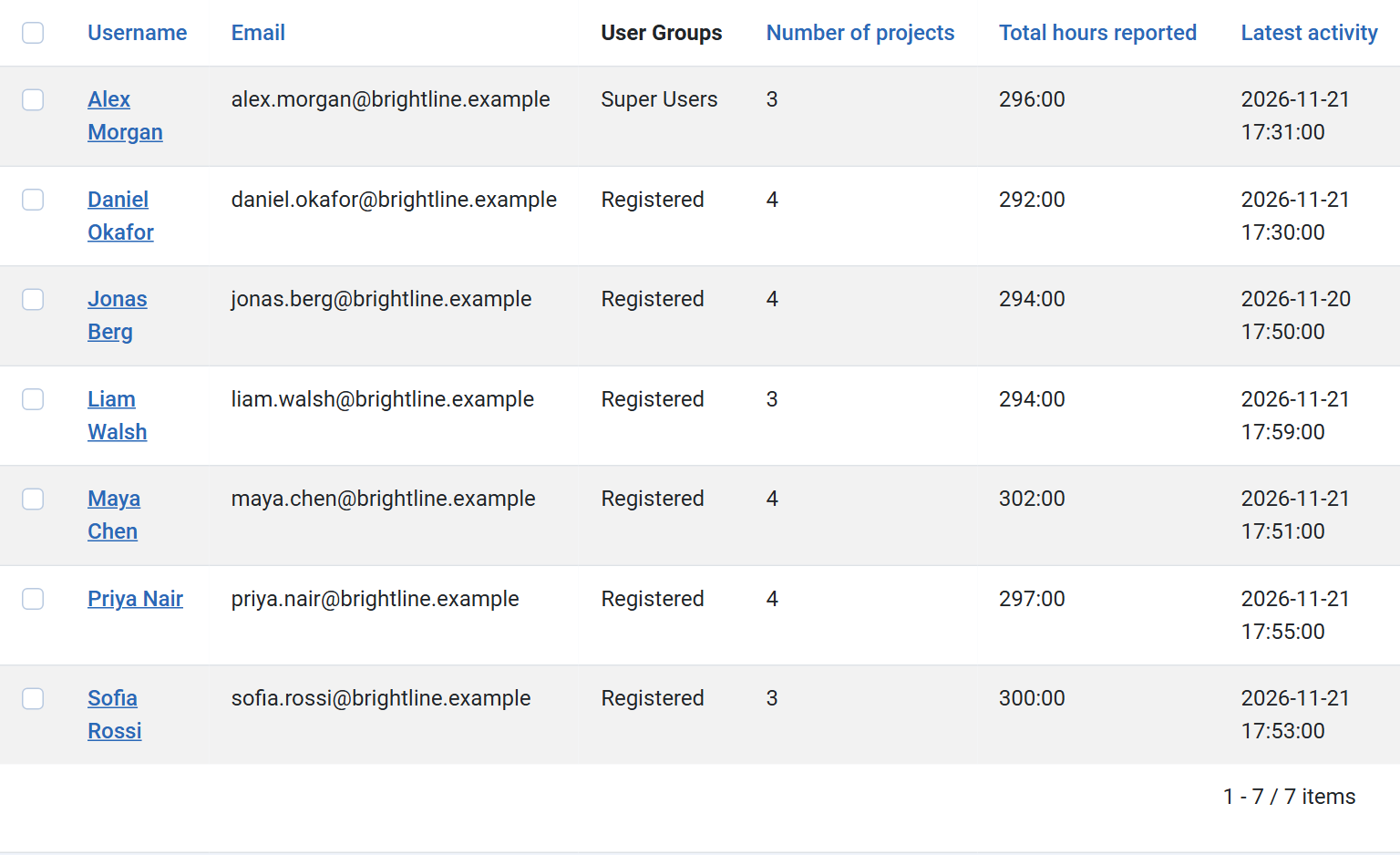
The Users view manages which Joomla users take part and which projects they're assigned to. Users are not created here — they must already exist as Joomla users.
- New adds an existing Joomla user.
- The edit view shows the username/email (read-only) and project checkboxes; a Select All button assigns every project at once.
- The list shows each user's project count, total hours, and latest activity.
Time Worked Types
Time worked types categorise entries (for example Development, QA, Support, Meeting). Each type can have a colour-coded badge, and one type is always the default.
- Fields: Name (required), Short Name (badge label, keep it short), and Colour.
- The default type cannot be deleted, and its badge is not shown in reports — only non-default types display a badge.
Leave Types
Leave types define the categories of leave available to employees (for example Annual Leave, Sick Leave, Personal Day).
- A leave type has a single field: Name (required).
- Employees choose a leave type when submitting a leave request.