Leave Requests
Employees can submit leave requests, and managers can approve or decline them.
Submitting a Request
- Open the Leave Form panel.
- Start Date / End Date — use the date-range picker to select the leave period.
- Working Days — enter the number of working days (decimals allowed for half-days).
- Leave Type — choose from the configured types (e.g. Annual Leave, Sick Leave).
- Comments — optionally explain the reason (max 1000 characters).
- Click Submit. An email notification is sent to the manager.
Viewing Leave Status
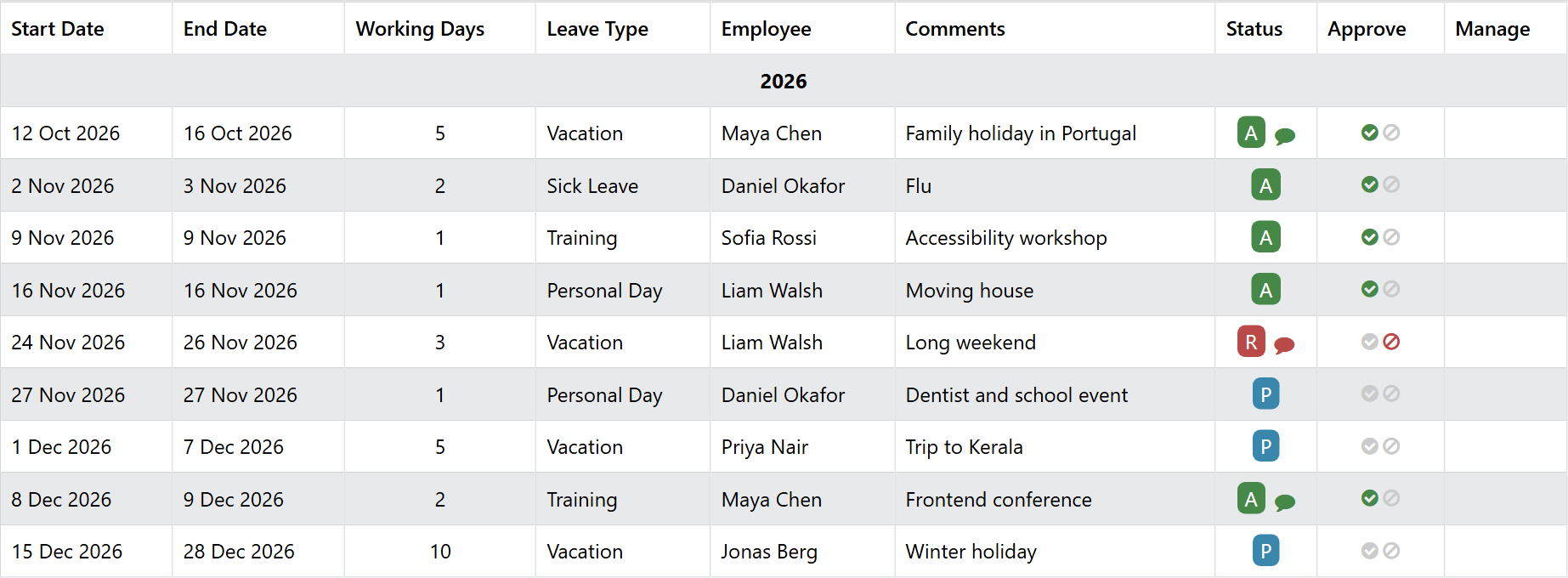
The leave table shows your requests (or all employees' requests for managers), with columns for start/end date, working days, leave type, employee (manager view), comment, and status. Status is colour-coded:
- Pending — awaiting a manager's decision
- Approved — the leave has been approved
- Rejected — the leave was declined
Filters include staff (managers only), month/date range, and a "hide previous years' leaves" checkbox.
Editing and Deleting
- Edit a request to change it (your own requests only, unless you have edit-all permission).
- Delete a request if you have delete permission.
- Editing an already-reviewed leave resets its status to Pending.
Approval (Managers)
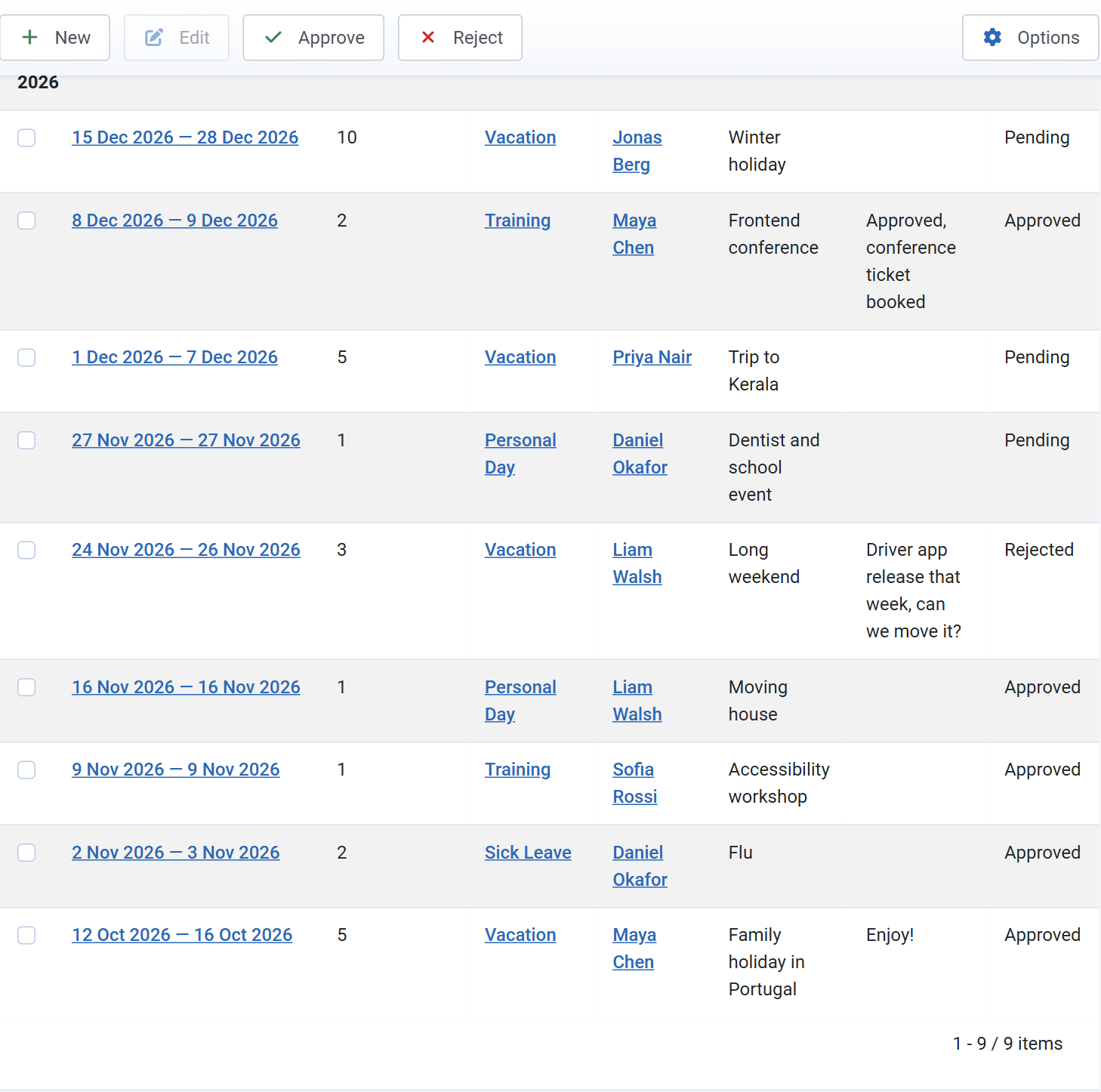
Managers with the Leaves Management permission see Approve and Decline actions on each pending request:
- Click Approve or Decline.
- Add a comment explaining the decision in the modal.
- Click Send. The employee receives an email with the decision and your comment.