General
Components > User Reminder > Options > General
The General tab sets the reminder cadence for all three reminder types (how many reminders, how far apart, when the first one goes out) and the tools for testing.
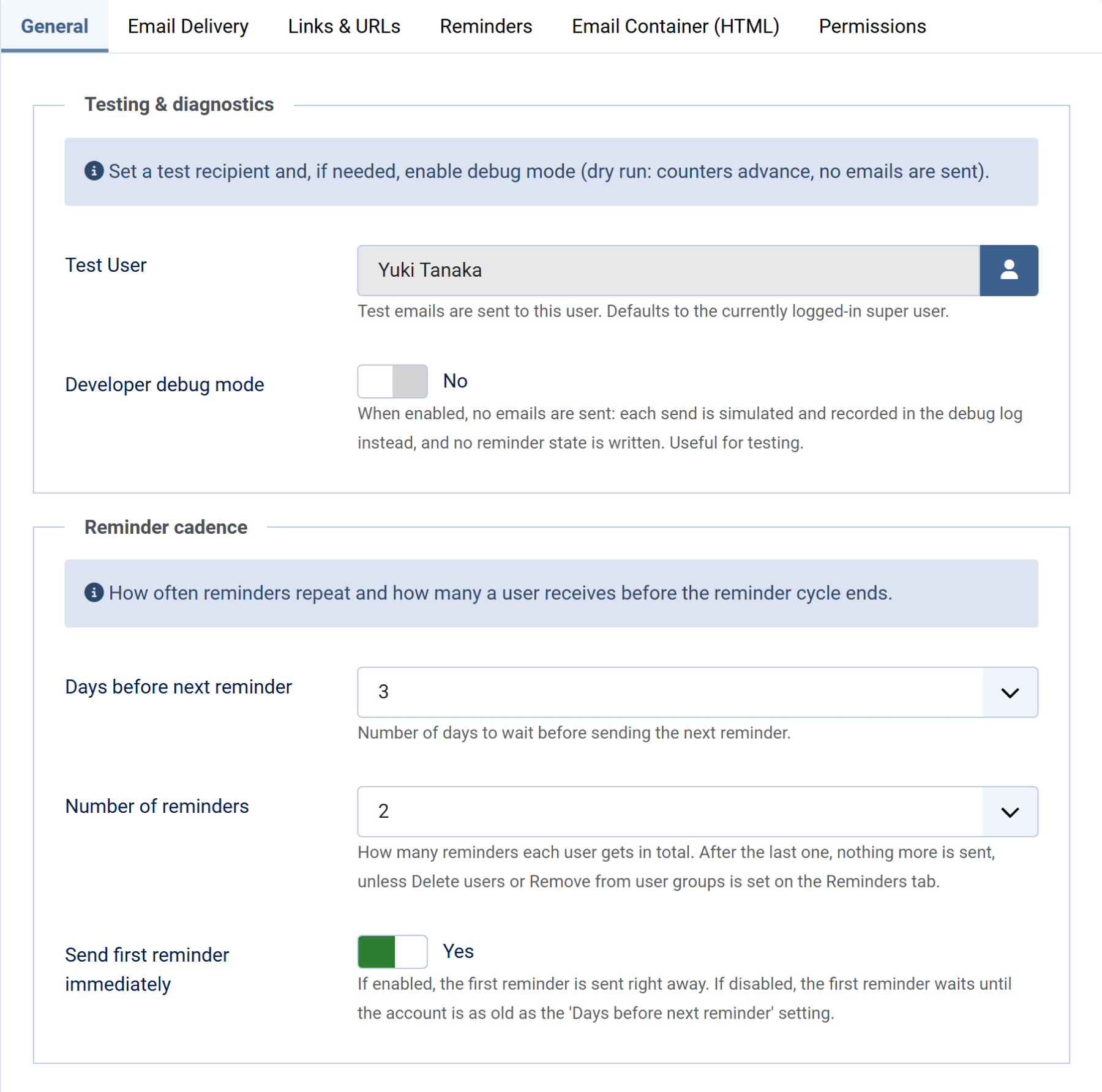
Testing & diagnostics
| Option | Default | What it does |
|---|---|---|
| Test User | You | Who gets the Send Test Email emails |
| Developer debug mode | No | Every run becomes a dry run: nothing is sent or saved, the emails are written to a log file. See Testing |
Reminder cadence
These apply to all three reminder types.
| Option | Default | What it does |
|---|---|---|
| Days before next reminder | 1 | Days between two reminders to the same user. Without Send first reminder immediately, also the minimum account age for the first activation or never-logged-in reminder |
| Number of reminders | 1 | Reminders each user gets in total. After the last one nothing more is sent, unless cleanup is set |
| Send first reminder immediately | No | Yes: the first activation or never-logged-in reminder goes out on the next run after registration |
For inactive users, the first reminder goes out once they pass the Inactivity threshold on the Reminders tab.
Example: 3 days between reminders and 3 reminders: a user who registered and never activated gets reminders on day 3, 6 and 9 (with the daily task).