Account cleanup
When a user got every reminder and still did not react, User Reminder can clean up the account. Both options are off by default.
Delete users
Options > Reminders has a Delete users switch for each reminder type. When it is on, the first run after a user's last reminder deletes the account through Joomla, like deleting it in Users > Manage.
- Only users who got the full Number of reminders are deleted
- Users who opt out, or are in an opt-out group, are never deleted
- The lists show Delete user in Action to Perform before it happens
- The dashboard shows a red alert while any Delete users switch is on
Deleted users cannot be restored. Make a backup first, and check the lists before you switch it on.
Remove inactive users from groups
For inactive users only, you can take the user out of chosen groups instead of deleting the account. Pick the groups in Options > Reminders > Inactive Users > Remove from user groups.
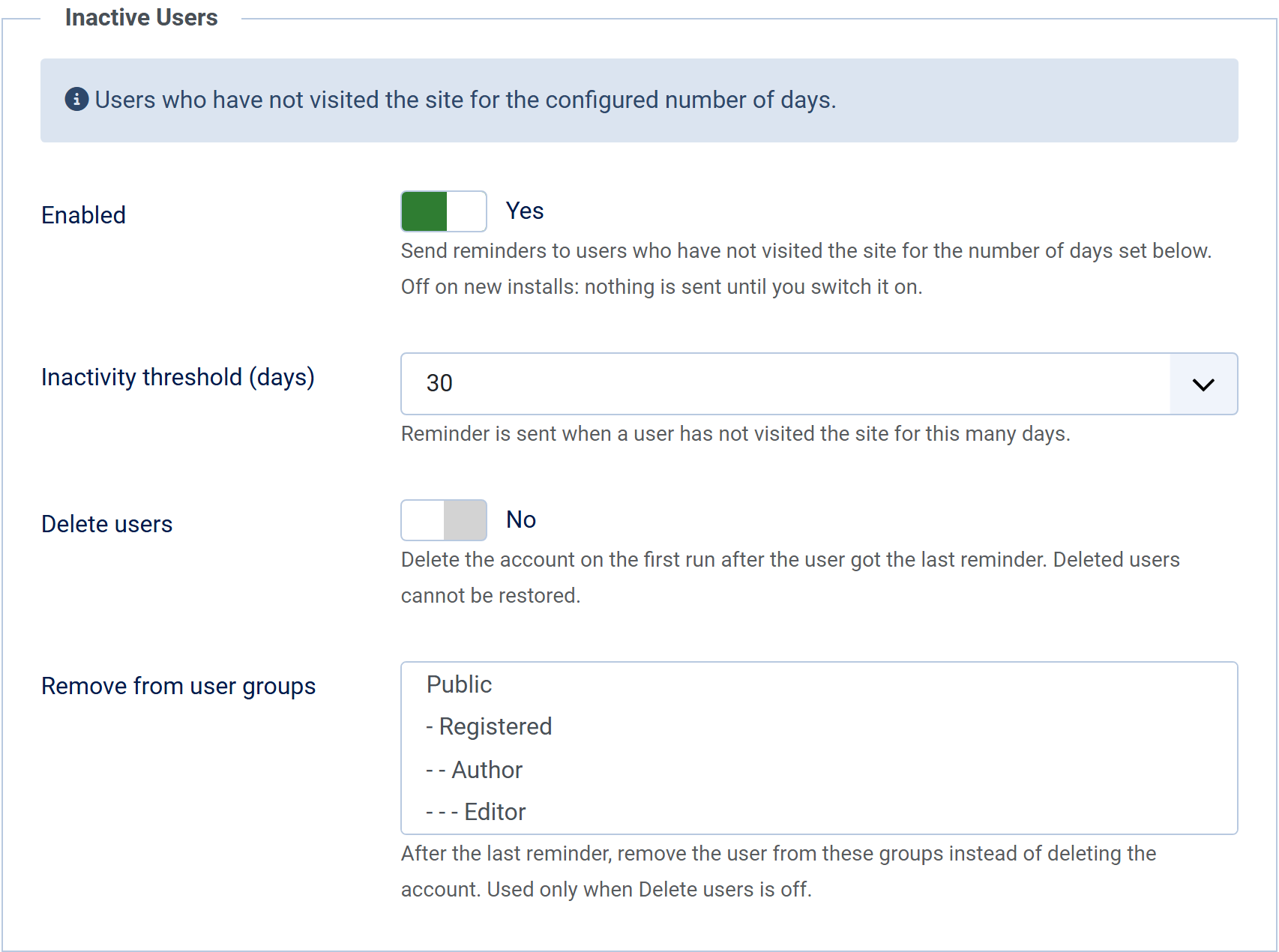
After the last reminder, the next run removes the user from those groups. The account stays, and the user keeps their other groups. Use this to end access to members-only content, for example.
If Delete users is also on for inactive users, deletion wins.
What happens with neither
Nothing. The user stays in the list with All reminders sent and gets no more emails.