Quotes, Invoices & Payments
JC Project turns your project work into revenue: send clients detailed quotes, convert them into invoices automatically, and collect payment online via PayPal or Authorize.net — or record offline payments. Find them under the Quotes and Invoices tabs.
For Users
Creating a quote
A quote is a detailed cost estimate built from services. On the quote form:
- Milestone — optionally associate the quote with a milestone (AJAX auto-complete; you can create the milestone inline).
- Valid Until — how long the quote is valid; after this date it hides from users who can't see private objects.
- Visibility — public, or private (visible only to users who can see private objects).
- Status — usually left pending; it updates automatically when the client accepts or denies.
- Services — add each service with a quantity and price (override the default price if needed), an optional discount (amount or percentage), and a tax rate. If a service doesn't exist yet, create it inline via a modal — it's then saved to your reusable services list. Subtotals calculate automatically.
- Invoices — define how many invoices to generate from the quote and the interval between them. All services are split equally across them.
Accepting a quote
The quote overview shows the owner and client companies, the project/milestone, the services with discounts and taxes, and line totals. The client clicks Accept or Deny. Accepting marks the quote accepted and automatically publishes the first invoice; paying it generates the next invoice in the sequence, repeating for the number of invoices you defined.
Converting a quote by hand
To bill a quote straight away, open it and click Convert to Invoice, then confirm. JC Project creates one invoice with the quote's services, discounts and taxes, links it to the quote and opens it. The quote then shows the invoice number with a View Invoice link. You need permission to create invoices in the quote's project.
Invoices & payment
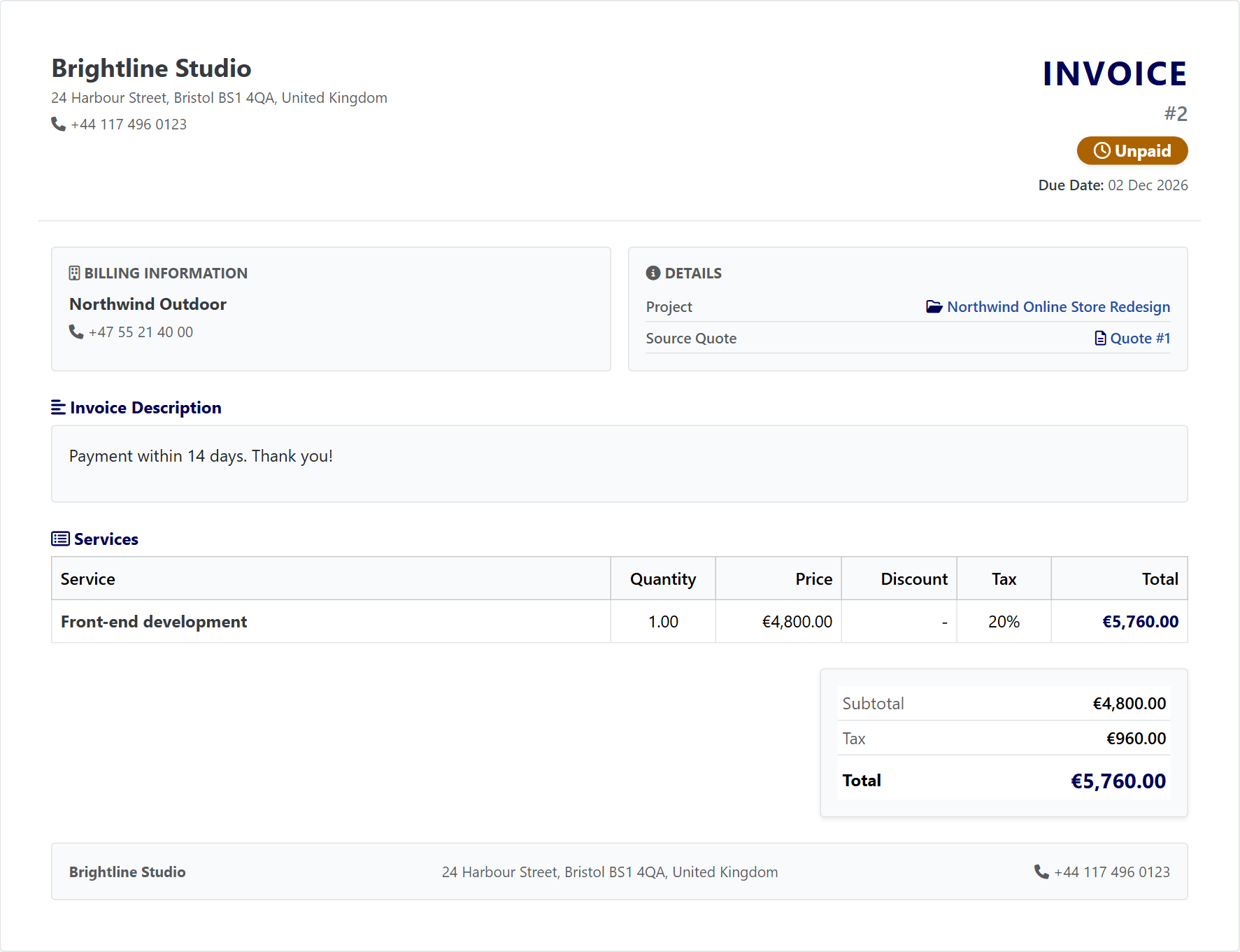
Invoices can include services and/or billable time from the time tracker. Clients pay online with PayPal or Authorize.net, or you record an offline payment manually. Upcoming and overdue invoices appear on your Dashboard.
For Admins
Services, tax & gateways
Define tax rates, the default currency, and the payment key under Settings → Billing & Tax. Enable the gateway(s) you use — PayPal, Authorize.net, or Offline — under System → Manage → Plugins.
Permissions
| Action | Governed by |
|---|---|
| View quotes / invoices | Assignment + access role |
| Create / edit quotes & invoices | Access role with the matching capability |
| See private quotes | Access role with the "view private" capability |
| Take payment | Enabled payment plugin + HTTPS |
Edge cases
- Setting a quote's status to accepted on the form does not trigger invoice creation — only the Accept button on the overview does.
- Editing a service's description on a quote/invoice is local to that document; it doesn't change the stored service.
- Payment gateways require HTTPS and a reachable return/IPN URL.
Field Reference
Quote
| Field | Description |
|---|---|
| Project | Project the quote belongs to. |
| Milestone | Associated milestone (optional). |
| Valid Until | Expiry date of the quote. |
| Visibility | Public or private. |
| Status | Pending / accepted / denied. |
| Services | Line items with quantity, price, discount, and tax. |
| Invoices | Number of invoices to generate and their interval. |
Invoice
| Field | Description |
|---|---|
| Quote | Source quote, if generated from one. |
| Services | Billed services. |
| Billable time | Time-tracker entries marked billable. |
| Due date | Payment due date (driven by the quote interval). |
| Status | Published / paid. |
| Payment method | PayPal, Authorize.net, or Offline. |