People
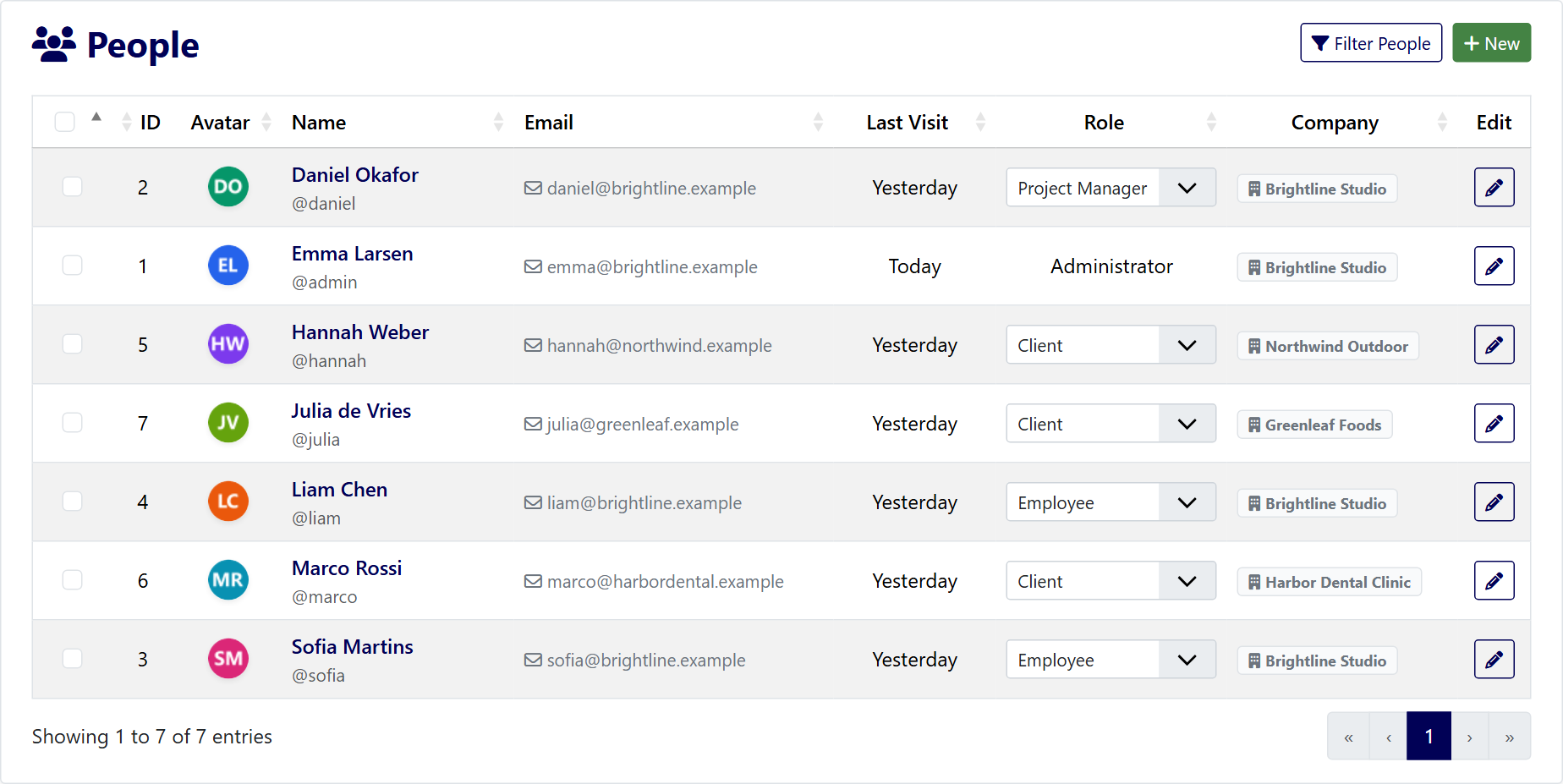
Every person in JC Project belongs to a company and is linked to a standard Joomla! user account. Access roles control exactly what each person can see and do, so your project information stays secure regardless of a person's Joomla user level. Manage people from the People tab.
For Users
The person form
Create or edit a person's first and last name, username, email, Joomla! password, company (if your access role allows), and access role (if allowed). You can also upload a profile image: click Upload under the image, pick a file in the modal, and Save — the change shows immediately. Remove clears it.
Browsing people
The People list shows everyone you have access to, grouped by company in alphabetical order. If your access role permits, you'll see New and Edit buttons (tick a checkbox then Edit to edit quickly), and a Delete button.
A person's overview
The person overview shows their details and optional profile picture. People can keep their own contact details current and upload their own picture. You can even let someone manage their own company by assigning an access role with Company Only scope and Create level for companies.
For Admins
Joomla user integration
Each person is integrated with the standard Joomla! user system. New Joomla users can be auto-added as JC Project people by the User – JC Project plugin, with a configurable default role, company, and project.
Permissions
| Action | Governed by |
|---|---|
| View people | Access role + company scope |
| Create / edit / delete people | Access role with the matching capability |
| Change a person's role | Your access-role security level must exceed theirs |
Edge cases
- You can only assign or change a role below your own access-role security level.
- Whether you can set another person's company or role depends on your access permissions.
Field Reference
| Field | Description |
|---|---|
| First / Last name | The person's name. |
| Username | Joomla! username. |
| Contact email / Joomla login. | |
| Password | Joomla! password (on create). |
| Company | The company the person belongs to. |
| Access role | The person's JC Project access role. |
| Image | Profile picture. |
| Assignees | Projects and items the person is assigned to. |
| Custom fields | Any custom fields added for people. |