Tickets
Tickets let your team capture and resolve client questions and support requests inside JC Project. They can be raised in the front-end or created automatically from incoming email, then triaged by category, priority, and due date. Find them under the Tickets tab.
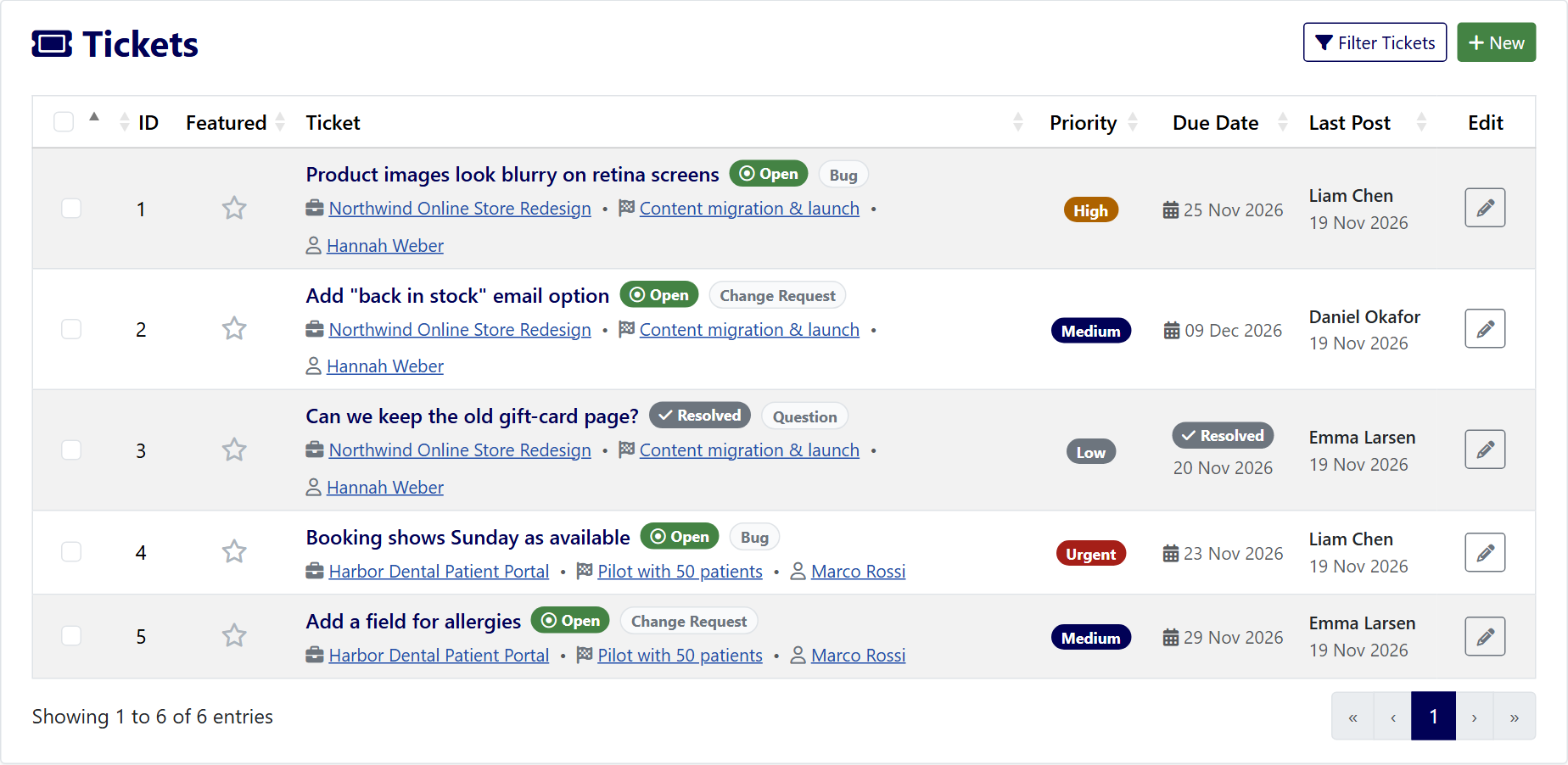
For Users
Raising a ticket
- Open the Tickets tab and click New.
- Give the ticket a subject and description, set its category and priority, and link it to a project or person if relevant.
- Click Save. The ticket appears in the list with its status.
Working a ticket
- Open a ticket to read the full thread and post replies and comments.
- Move the status along as you progress (for example open → in progress → closed).
- Attach files, and star important tickets so they surface on your Dashboard.
For Admins
Email-to-ticket
JC Project can turn incoming support email into tickets automatically. Configure a dedicated mailbox under Email & Tickets: set the IMAP host, address, and password, plus the default category, priority, and due-date offset applied to email-created tickets. A scheduled run checks the mailbox and creates a ticket from each new message.
Permissions
| Action | Governed by |
|---|---|
| View tickets | Assignment + access role |
| Create / reply / close tickets | Access role with the matching capability |
| Configure the support mailbox | Joomla admin (component Options) |
Edge cases
- Email-to-ticket needs the PHP IMAP extension and a scheduled trigger (Joomla Scheduled Tasks or a cron job) — see Troubleshooting.
- Set a real reply address in the email settings; messages from a no-reply address won't thread back into the ticket.
Field Reference
| Field | Description |
|---|---|
| Subject | Ticket title. |
| Description | The request or issue. |
| Category | Ticket category (also the email-to-ticket default). |
| Priority | Ticket priority. |
| Status | Current status. |
| Project | Associated project (optional). |
| Assignee | Person handling the ticket. |
| Due date | When the ticket should be resolved. |
| Custom fields | Any custom fields added for tickets. |