Projects
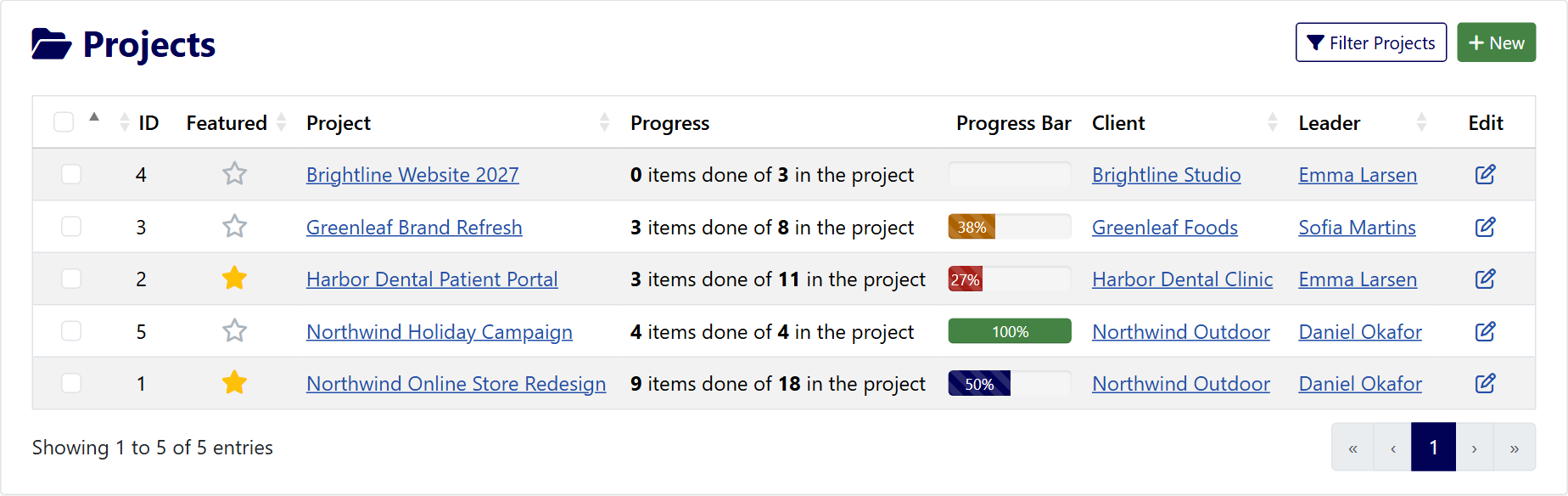
Projects are the top-level container in JC Project — milestones, tasks, time, quotes, invoices, documents, and discussions all hang off a project. Manage them from the Projects tab in the front-end.
For Users
Creating a project
- Open the Projects tab.
- Click New (top-right) to open the project form.
- Fill in the fields and click Save (or Save & New to add another).
Useful fields while creating:
- From template — start from an installed template or an existing project, copying its structure so you don't rebuild milestones and tasks by hand.
- Client — the company the project is for. Use the blue + button to quick-add a new company without leaving the form.
- Leader — the project leader. This list refreshes automatically when you change the Client.
- Latest activity — how many days of recent activity to show on the project overview.
Browsing projects
The project list shows every project you can access, each with a progress meter reflecting how many of its tasks and milestones are complete. Use the status, company, and alpha filters to narrow the list quickly.
The project overview
Opening a project shows its full picture: upcoming milestones, recent activity, the leader, the client company, start date, status, and everyone assigned. From here you can grab an RSS activity feed, download an iCal file, or subscribe a calendar to the project.
For Admins
Project templates
Save a proven project as a reusable template so new projects start with a ready-made milestone and task structure. Templates appear in the From template field on the project form.
Permissions
Project access is governed by each person's access role (see Access Roles): | Action | Governed by | |---|---| | View a project | Assignment + access-role security level | | Create / edit / delete projects | Access role with the matching project capability | | See private projects | Access role with the "view private" capability |
Edge cases
- A user only sees projects they are assigned to (directly or via their company), filtered further by their access-role security level.
- Changing the Client after creation re-scopes the available Leader list.
- Deleting a project moves it and its items to the trash rather than hard-deleting them.
Field Reference
| Field | Description |
|---|---|
| Name | Project title. |
| From template | Installed template or existing project to copy structure from. |
| Client | Client company the project belongs to. |
| Leader | Person leading the project. |
| Start date | Project start date. |
| Status | Project status (from your configured statuses). |
| Latest activity | Number of days of activity to show on the overview. |
| Description | Free-text project description. |
| Custom fields | Any custom fields you have added for projects. |